Security Considerations for Backup as a Service (BaaS)
 Sep, 8 2026
Imagine waking up to find your company’s primary servers encrypted by ransomware. You reach for your backup solution, only to discover the attackers deleted or corrupted those copies too. This isn't a hypothetical nightmare; it's the reality for businesses that treat Backup as a Service (BaaS) as a simple storage bucket rather than a fortified security layer. In 2026, with ransomware attacks having surged over 105% in recent years, relying on basic cloud backups is like locking your front door but leaving the windows open.
Most IT leaders assume their BaaS provider handles everything. But here is the uncomfortable truth: many providers offer default settings that are dangerously permissive. If you haven’t configured immutable storage, air-gapping, and strict key management, your "secure" backup might be just as vulnerable as your live data. This guide cuts through the marketing fluff to show you exactly what security features matter, how to avoid common pitfalls, and why the wrong configuration can cost you millions in fines and downtime.
Why Standard Backups Fail Against Modern Threats
Traditional backup models assumed threats came from outside the network perimeter. Today, sophisticated ransomware groups specifically target backup repositories because they know restoring from them is the only way out of an attack. If your BaaS platform allows administrators to delete or modify backup files without restriction, a compromised admin account can wipe your safety net instantly.
The core problem lies in mutability. Standard cloud storage allows overwriting and deletion. Attackers exploit this by using stolen credentials to corrupt backups before encrypting production data. To counter this, modern BaaS security relies on immutability. This means once a backup is written, it cannot be changed or deleted until a set retention period expires-typically between 7 and 180 days. Without this feature, you’re essentially betting that no one inside your organization makes a mistake or gets hacked during the critical recovery window.
The Core Security Pillars: Immutability and Air-Gapping
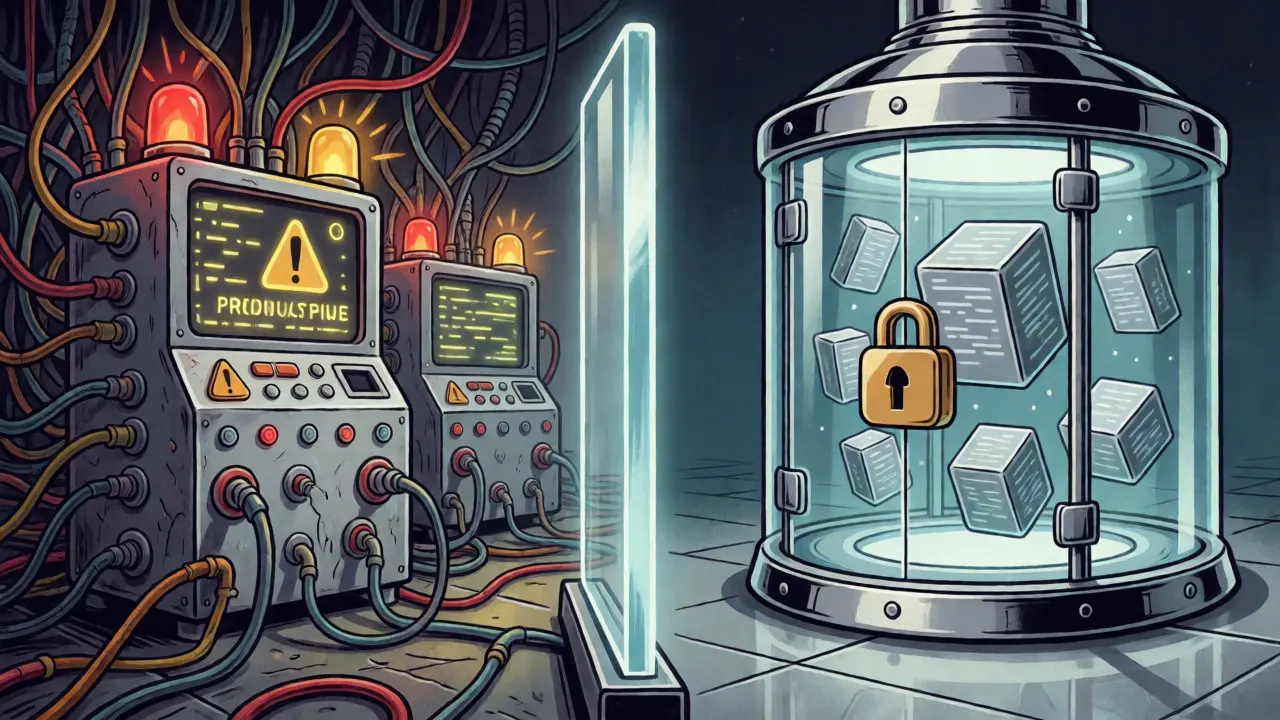
If you take away only two concepts from this article, let them be these. First, Immutable Storage creates tamper-proof copies using Write-Once-Read-Many (WORM) technology. This ensures that even if a hacker gains root access, they cannot alter the backup data. Providers like Rubrik have scored highly on Gartner reports specifically because their implementation of rigid policy controls prevents accidental or malicious deletion.
Second, true security requires Air-Gapped Backups which physically or logically isolate backup data from production networks. While pure physical air-gapping is rare in cloud environments, logical isolation is achievable. This involves separating the control plane (where you manage backups) from the data plane (where backups are stored). If your production network is breached, the attacker shouldn't be able to see, let alone touch, the isolated backup repository. NIST Special Publication 800-171 revision 3 explicitly recommends this isolation for critical data protection. Don't settle for a provider that claims "cloud-native" without explaining how they achieve this separation.
Encryption and Key Management: Who Holds the Keys?
Data at rest should always use AES-256 encryption, and data in transit must use TLS 1.3. These are baseline requirements, not premium features. However, the real risk isn't weak algorithms; it's poor key management. Many organizations make the fatal error of letting the BaaS provider hold the encryption keys. If the provider suffers a breach, or if law enforcement compels them to hand over data, your privacy evaporates.
For high-compliance industries like healthcare or finance, consider customer-managed keys (CMK). This approach lets you generate and store keys in your own Hardware Security Module (HSM), such as AWS KMS or Azure Key Vault. The trade-off? Complexity. A 2024 survey by Enterprise Strategy Group found that 68% of organizations struggle with implementing CMK correctly. If you lose your keys, you lose your data forever. There is no password reset button for cryptographic keys. Ensure your team has the expertise to handle key rotation cycles, ideally every 90 days, as recommended by CISA guidelines.
Access Control and Zero-Trust Architecture
Who can restore data? In many companies, it’s anyone with admin privileges. That’s a huge attack surface. Modern BaaS platforms must support Zero-Trust Architecture principles requiring continuous authentication and least-privilege access. This means no user, regardless of role, is trusted by default. Every request to restore or view backup data must be verified.
Phishing-resistant Multi-Factor Authentication (MFA) is non-negotiable. SMS-based MFA is vulnerable to SIM-swapping attacks. FIDO2/WebAuthn security keys are the gold standard for protecting backup management interfaces. Additionally, implement Role-Based Access Control (RBAC) strictly. Separate duties so that the person who configures backups cannot also approve restores. This segregation of duties prevents insider threats and reduces the impact of credential theft. Remember, excessive administrative privileges were cited by Krebs on Security as a major failure point in SaaS backup solutions.
Comparing Top BaaS Security Features
Not all providers are created equal. Some excel in ease of use but lag in advanced security controls. Others offer robust compliance certifications but require heavy manual configuration. Here’s how the leading players stack up based on 2025 industry benchmarks.
| Provider | Key Strength | Immutability Quality | Compliance Certifications | Best For |
|---|---|---|---|---|
| Rubrik | Rigid policy controls & forensic capabilities | High (4.8/5) | Extensive | Large enterprises needing strict governance |
| Veeam | Immutable object storage & hybrid cloud support | High | 11+ major certs | Hybrid environments & mixed workloads |
| Druva | Single-tenant architecture with dedicated keys | Medium-High | Strong | Mid-market companies prioritizing data sovereignty |
| Cohesity | AI-driven anomaly detection | Medium-High | Strong | Organizations leveraging AI for threat hunting |
Rubrik often leads in security-specific metrics due to its "data fabric" approach, which treats data protection as a security function first. Veeam remains popular for its flexibility in hybrid setups, though users report higher complexity in managing encryption keys. Druva stands out for mid-sized firms wanting single-tenant isolation without the overhead of maintaining their own infrastructure. Choose based on your specific compliance needs and internal technical capacity.
Common Implementation Pitfalls to Avoid
Buying the best tool doesn’t guarantee security. Poor configuration does more damage than outdated software. According to the Cloud Security Alliance, improper retention policies affect 38% of implementations. Setting a retention period that is too short means old backups get deleted before you realize you need them. Too long, and you pay for unnecessary storage while potentially violating data minimization principles under GDPR.
Another frequent error is failing to enable immutable storage by default. It’s often an opt-in feature buried in settings. If you miss it, you’re exposed. Similarly, overly permissive access controls remain a top issue, affecting nearly 30% of deployments. Audit your permissions quarterly. Does everyone in the IT department really need delete rights on the backup console? Probably not.
Finally, don’t ignore unstructured data. Many BaaS solutions protect databases and virtual machines well but struggle with SaaS applications like Microsoft 365 or Salesforce. Only 42% of providers offer comprehensive SaaS backup coverage. If your employees save critical contracts in SharePoint or OneDrive, ensure your BaaS contract explicitly covers these endpoints.
The Future: AI and Quantum Resistance
Security isn’t static. By 2027, experts predict quantum computing will threaten current encryption standards. Forward-thinking BaaS providers are already testing quantum-resistant algorithms. Meanwhile, AI is becoming central to backup integrity. Tools like Rubrik’s "Threat Radar" integrate with endpoint protection to detect anomalies during backup operations, catching ransomware before it spreads.
Gartner analysts forecast that 85% of enterprise BaaS implementations will use AI-driven anomaly detection by 2026. This shifts the model from reactive recovery to proactive prevention. If your provider doesn’t have an AI roadmap, ask them about it. The ability to spot unusual backup patterns-like a sudden spike in data changes or failed verification checks-can buy you hours of critical response time.
Checklist: Securing Your BaaS Environment
- Enable Immutable Storage: Verify WORM capabilities are active and retention periods align with regulatory requirements (e.g., HIPAA, GDPR).
- Implement Air-Gapping: Ensure logical or physical separation between production and backup networks.
- Use Customer-Managed Keys: Store encryption keys separately from data, preferably in your own HSM.
- Enforce Phishing-Resistant MFA: Require FIDO2/WebAuthn keys for all admin access.
- Apply Least Privilege: Restrict restore and delete permissions to a small, vetted group.
- Audit SaaS Coverage: Confirm that Microsoft 365, Google Workspace, and other SaaS apps are included.
- Test Restores Regularly: Conduct quarterly disaster recovery drills to validate RTO/RPO targets.
What is the difference between BaaS and traditional cloud storage?
Traditional cloud storage (like Amazon S3) is designed for general-purpose file storage. BaaS is specialized for data protection, offering automated scheduling, versioning, deduplication, and crucially, security features like immutability and air-gapping that standard storage lacks by default.
Is immutable storage enough to stop ransomware?
It is a critical component but not a silver bullet. Immutable storage prevents attackers from deleting or corrupting backups. However, you still need strong access controls, regular monitoring, and tested recovery procedures to ensure you can actually restore the clean data quickly.
How often should I test my BaaS recovery?
At least quarterly for critical systems and annually for less critical data. Testing verifies that backups are not only created but are also usable. Many failures occur during restoration due to compatibility issues or missing dependencies, not because the backup didn't exist.
What are Recovery Time Objectives (RTO) and Recovery Point Objectives (RPO)?
RTO is the maximum acceptable amount of time to recover data after a disruption. RPO is the maximum acceptable amount of data loss measured in time. For example, an RPO of 5 minutes means you can afford to lose the last 5 minutes of data. High-end BaaS services aim for RTOs under 15 minutes and RPOs under 5 minutes.
Do I need separate insurance for BaaS breaches?
Cyber insurance policies vary. Some cover losses from provider errors, others exclude them. Review your policy carefully. If you rely on customer-managed keys, ensure your insurance covers scenarios where you lose the keys themselves, as this renders data unrecoverable.